
Pre-Built Fine Dining Menu Structure
Categories, item templates, and modifier groups pre-loaded for fine dining service. Add your items and prices — no structure to build from scratch. Operational from day one.
Fine dining hayali büyük, başlangıç engeli küçük olsun isteyen girişimciler için.
Büyük vizyonla küçük adımlarla başlamak mümkün.
Fine dining açmak isteyip nereden başlayacağını bilmeyenler için.
Sistem nereden başlayacağınızı sizin için çözer.
Büyük hayal, kolay başlangıç — kurulu sistemle ilk günden açık olmak isteyenler için.
Hazır menü yapısı ve masa planı, sıfırdan kurulum yok.
İlk fine dining restoranını açacak, hazır başlangıç çözümü arayanlar için.
Sektör deneyimi olmadan da tam operasyonel olunabilir.
Fine dining kalitesini, fine dining karmaşıklığı olmadan sunmak isteyenler için.
Misafiriniz deneyimi hisseder, siz teknik yükü taşımazsınız.
9 bölüm, 47 masa, 17 menü kategorisi, 138+ ürün — hepsi önceden yapılandırılmış. İstemediğinizi silin, fiyatları düzenleyin, kendinizinkini ekleyin. Sıfırdan kurulum yok.
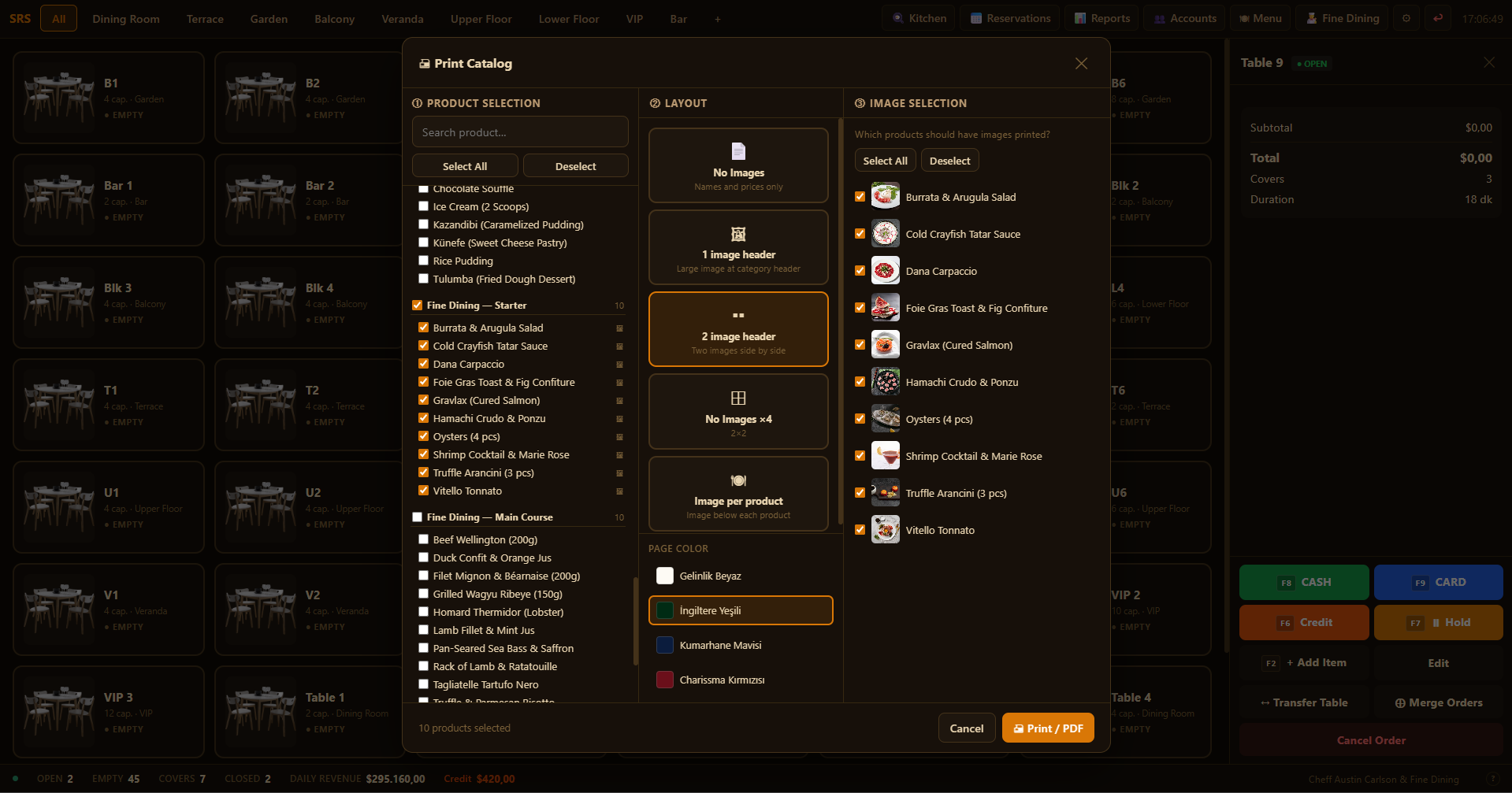
Bu ürünler standart menüyle birlikte hazır yüklü gelir. Yazılımda tarif yer almaz — sadece isimler ve önerilen fiyat. Serbestçe düzenleyin.
Tüm bölümler, masalar ve menü kalemleri tamamen düzenlenebilir. Bir bölümü yeniden adlandırın, bir kategoriyi kaldırın, kendi fiyatlarınızı belirleyin, yeni ürün ekleyin — her şey ilk günden sizin kontrolünüzde.
Defalarca hayal ettiniz: ambiyans, masa düzeni, bir misafirin "mükemmeldi" dediği an. Ama o vizyon ile gerçek arasında bir duvar var — yüksek kurulum maliyeti, zaten her şeyi bildiğinizi varsayan bir teknoloji ve net bir başlangıç noktasının yokluğu.
Selgorithm Fine Dining Restaurant Premium POS o duvarı kaldırmak için tasarlandı. Hazır fine dining menü yapısıyla birlikte gelir — kategoriler, modifier'lar ve ürün şablonları yerli yerinde. Masa planı önceden yapılandırılmış. Garson akışı tasarlanmış. Veritabanı uzmanı, BT danışmanı veya yazılım mühendisi gerekmez. Sadece konseptinizi ve fiyatlarınızı bilmeniz yeter.
İlk restoranınızı açıyor, pop-up konsept deniyor ya da tam ölçekli bir fine dining mekânına doğru ilerliyorsanız — bu sistem sizinle büyür. Tamamen çevrimdışı çalıştığı ve aylık ücret olmadığı için işletme maliyetleriniz kontrolünüzde kalır.
Selgorithm Fine Dining Restaurant Premium POS, fine dining işletmeleri ve sektöre ilk kez giren girişimciler için geliştirilmiş, internet bağlantısı gerektirmeyen bir Windows restoran yönetim programıdır. Hazır fine dining menü yapısı ve önceden yapılandırılmış masa planıyla gelir — sıfırdan kurulum gerekmez. Masa yönetimi, mutfak ekranı (KDS), bölünmüş hesap, cari hesap, personel ve finans takibi tamamen cihazınızda çalışır; hiçbir veri dışarıya gönderilmez. Microsoft Store üzerinden tek seferlik ömür boyu lisans — aylık abonelik yok, bulut hesabı gerekmez.
Canlı Selgorithm Restaurant POS uygulamasından alınan ekran görüntüleri.
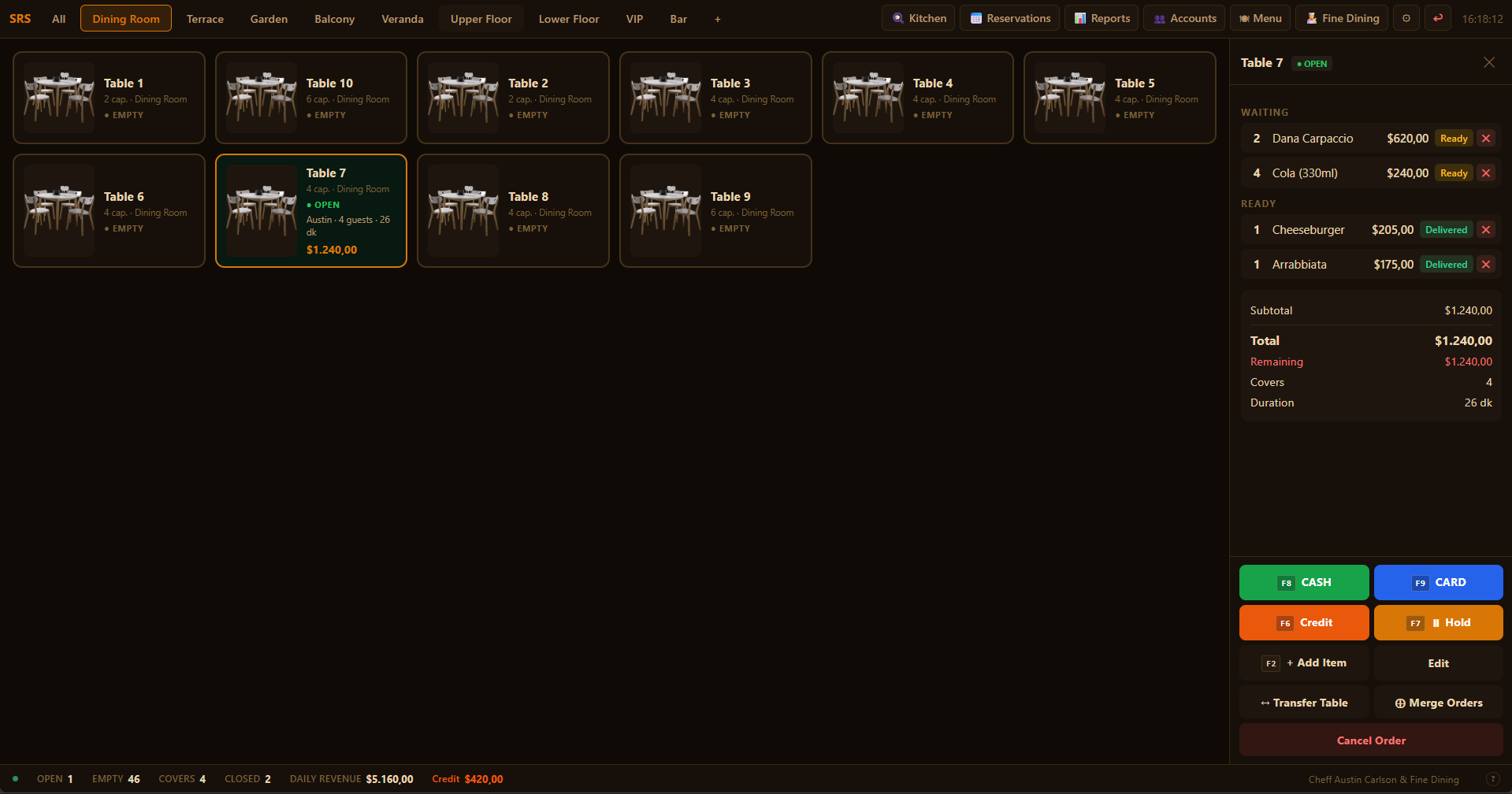
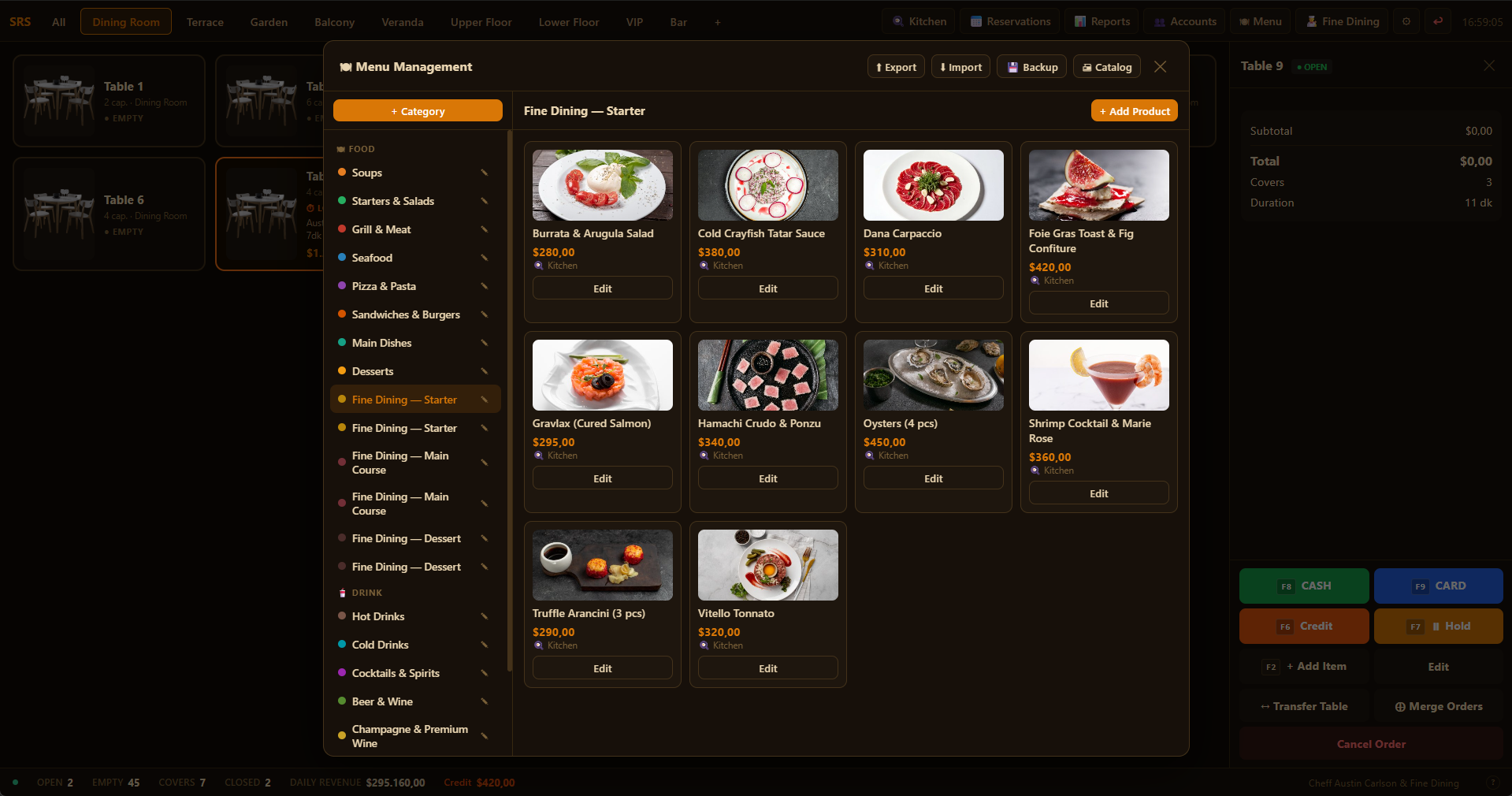
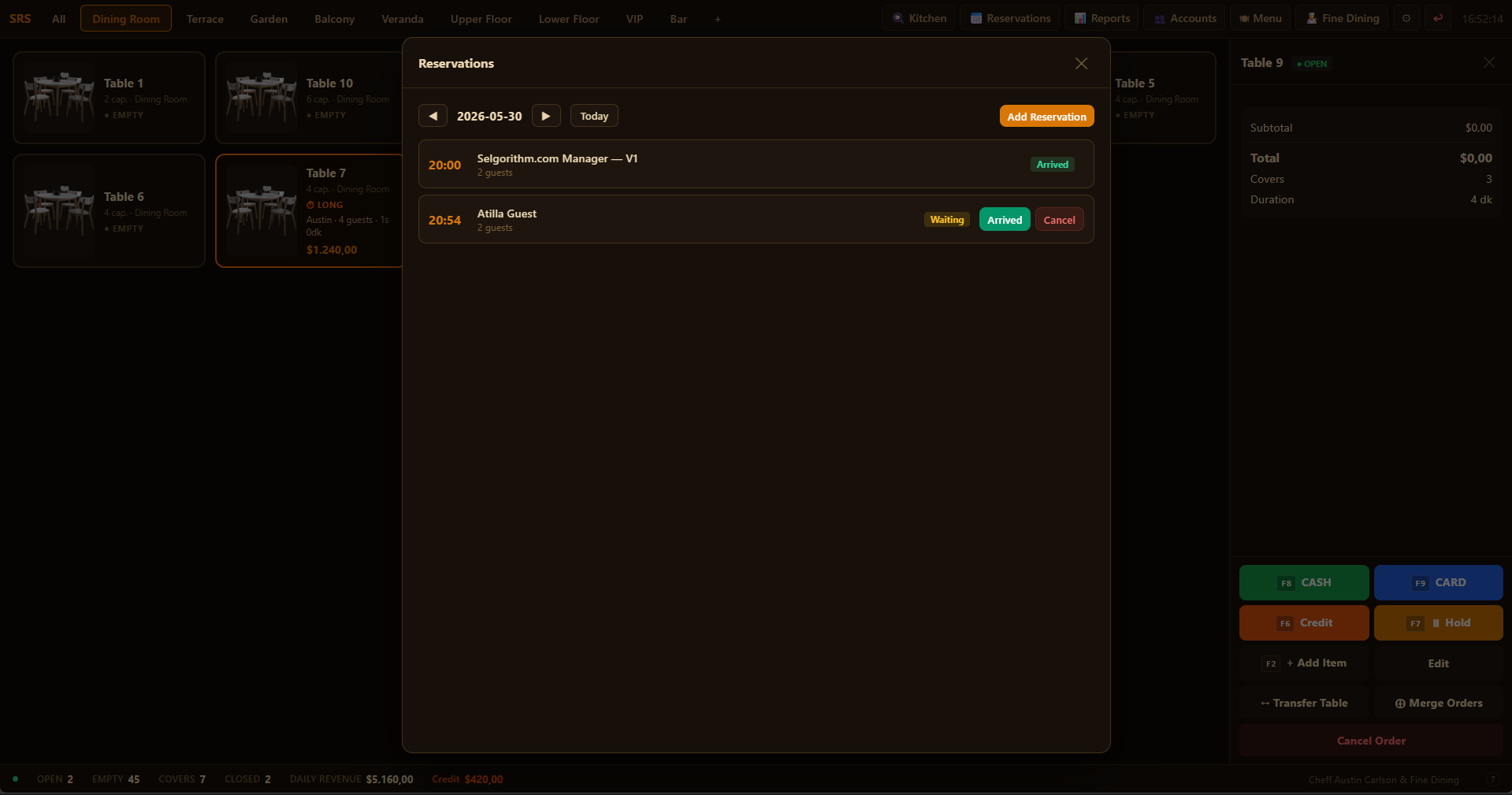
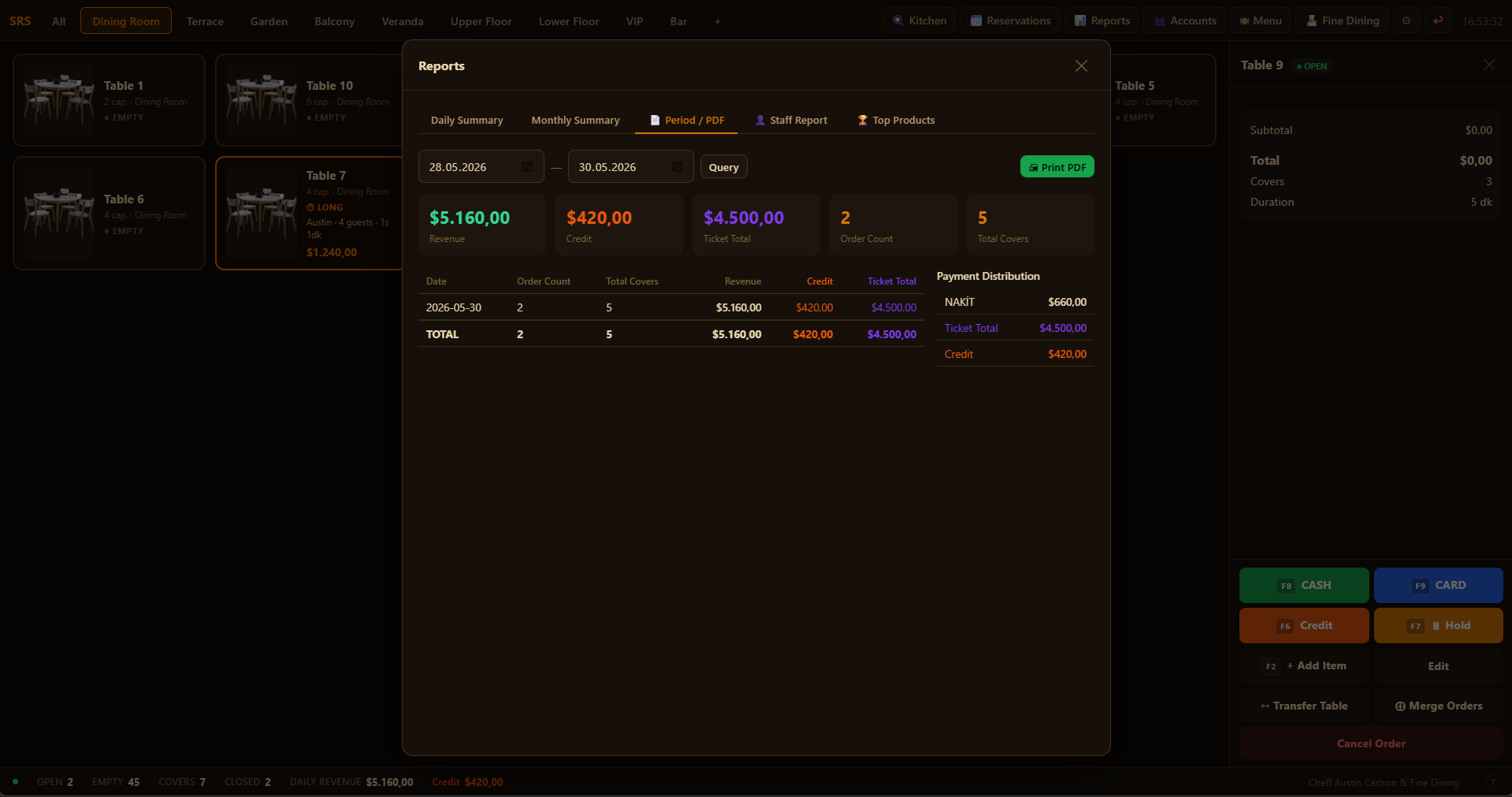
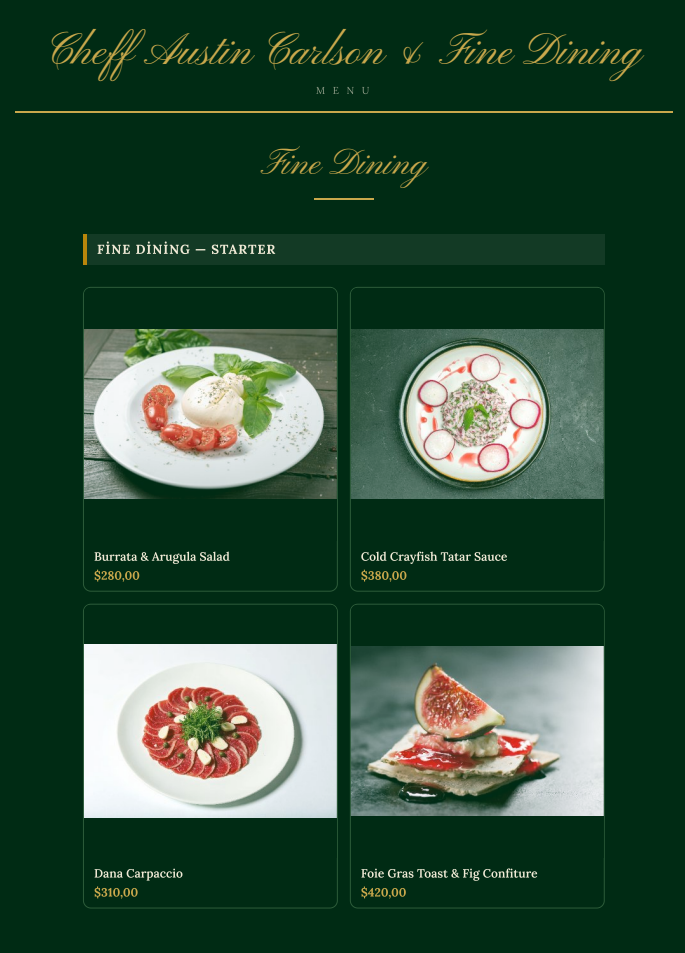
Categories, item templates, and modifier groups pre-loaded for fine dining service. Add your items and prices — no structure to build from scratch. Operational from day one.
Floor plan already set up with numbered tables for immediate use. Drag to rearrange, resize sections, or add new tables — the foundation is ready, you just refine it.
No database setup, no server configuration, no technical specialist needed. Install from Microsoft Store, enter your menu and prices, and serve. Designed so a first-time operator is fully ready on day one.
Visually arrange your live floor plan. Assign tables, track open orders at a glance, and move guests with drag-and-drop.
Orders route instantly to the kitchen screen. Staff confirm preparation status in real time — no paper tickets.
The moment a waiter adds an item, it appears on the kitchen display. Zero delay between the table and the kitchen.
Split the bill by item or by guest. Multiple payment methods — cash, card, ticket — can be combined in a single transaction.
Simplified interface for service staff. Waiters add items, send to kitchen, and request payment — without access to admin features.
Maintain per-customer ledgers. Credit sales, ticket balances, and payment history tracked automatically.
Record daily expenses, view revenue summaries, and monitor profit — all without an internet connection.
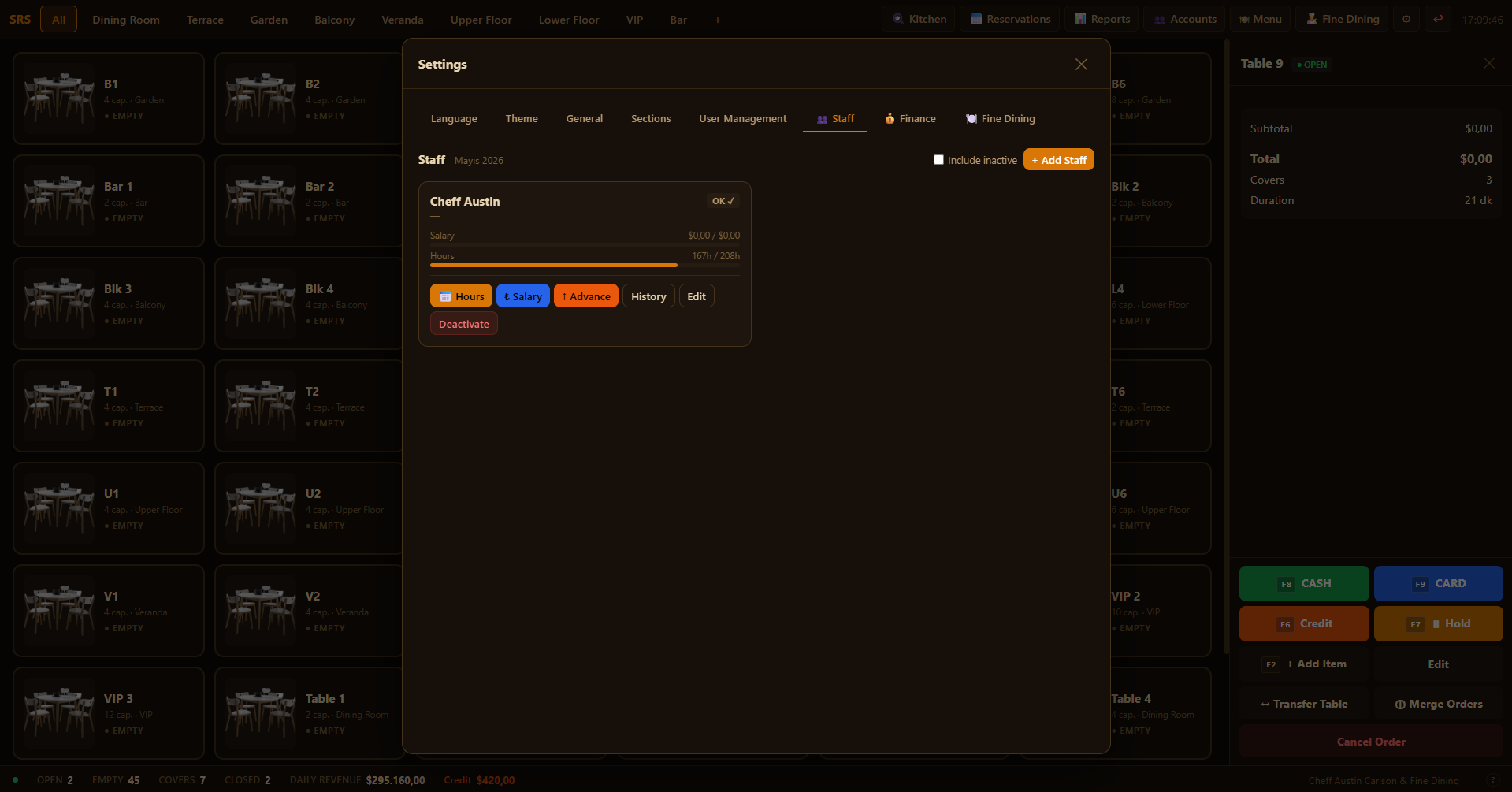
Add staff, track work hours, record salary payments, and generate per-employee summaries.
One-click backup to your OneDrive folder or any local path. Restore from backup in seconds.
Every error Restaurant POS can display has a documented code, cause, and step-by-step resolution. Paste any SLGT-RS-* code into an AI assistant for instant help.
SLGT-RS-AUTH-001
HTTP 401
Access denied. Authentication required.
Why does this happen?
Request made without a valid session or with insufficient permissions.
Resolution
Log in with a valid account; contact the administrator if the issue persists.
SLGT-RS-AUTH-002
HTTP 403
You cannot delete your own account.
Why does this happen?
Administrator attempted to delete their own currently active account.
Resolution
Ask another administrator to perform the action, or downgrade the account role first.
SLGT-RS-GEN-001
HTTP 404
Record not found.
Why does this happen?
The requested record does not exist in the database; it may have been deleted or never created.
Resolution
Refresh the page and try again; if the record was deleted, reselect from the list.
SLGT-RS-GEN-002
HTTP 400
Save failed. Check the form fields and try again.
Why does this happen?
A required field is empty, data type is invalid, or a uniqueness constraint was violated.
Resolution
Ensure all required fields are filled in and contain valid data.
SLGT-RS-GEN-003
HTTP 400
Record could not be saved.
Why does this happen?
An internal error occurred while writing to the database.
Resolution
Retry the operation; if the issue persists, check disk space and database integrity.
SLGT-RS-GEN-004
HTTP 400
Record could not be deleted.
Why does this happen?
The record is linked to other data (foreign key constraint) or a database error occurred.
Resolution
Verify that dependent records are removed before deleting this record.
SLGT-RS-GEN-005
HTTP 400
Record could not be updated.
Why does this happen?
The record no longer exists or a database error occurred during the update.
Resolution
Refresh the page and try again.
SLGT-RS-GEN-006
HTTP 400
Required fields are missing.
Why does this happen?
One or more required fields are absent from the request body.
Resolution
Fill in all required fields before submitting.
SLGT-RS-GEN-404
HTTP 404
API endpoint not found.
Why does this happen?
The requested method or path is not registered in the application; application-level bug.
Resolution
Report the action that caused this error to the support team.
SLGT-RS-ORD-001
HTTP 500
Order could not be opened.
Why does this happen?
A database error occurred while creating the order.
Resolution
Try again; verify the table does not already have an open order.
SLGT-RS-ORD-002
HTTP 500
Order could not be updated.
Why does this happen?
A database error occurred while updating order details.
Resolution
Try again; restart the application if the issue persists.
SLGT-RS-ORD-003
HTTP 404
Order not found.
Why does this happen?
The order ID does not match any existing record; order may have been deleted or ID is incorrect.
Resolution
Refresh the table list and try again.
SLGT-RS-ORD-004
HTTP 400
This table already has an open order.
Why does this happen?
An attempt was made to open a second order on the same table.
Resolution
Close the existing order first, or select a different table.
SLGT-RS-ORD-005
HTTP 400
Order is not open.
Why does this happen?
The operation was applied to a closed or cancelled order.
Resolution
Refresh the order list and try again.
SLGT-RS-ORD-006
HTTP 500
Order item status could not be updated.
Why does this happen?
A database write error occurred while updating the item status in the kitchen display.
Resolution
Try again; restarting the application may resolve the issue.
SLGT-RS-PAY-001
HTTP 500
Payment could not be saved.
Why does this happen?
A database error occurred while adding the payment.
Resolution
Check the order total and payment method, then try again.
SLGT-RS-PAY-002
HTTP 400
Invalid payment amount.
Why does this happen?
The amount is zero, negative, or exceeds the remaining order balance.
Resolution
Enter a valid amount that does not exceed the remaining order balance.
SLGT-RS-PAY-003
HTTP 500
Customer account movement could not be saved. Payment recorded but balance not updated.
Why does this happen?
An error occurred writing the credit or ticket movement to the database; the payment itself was recorded.
Resolution
Manually add the movement for the relevant customer from the Customer Accounts page.
SLGT-RS-PAY-004
HTTP 500
Order could not be closed.
Why does this happen?
Payment was completed but a database error occurred during the order closure step.
Resolution
The payment was added but the order remains open; try closing it again.
SLGT-RS-PAY-005
HTTP 400
Insufficient ticket balance.
Why does this happen?
The customer account ticket balance is insufficient to cover the entered payment amount.
Resolution
Enter an amount within the available balance or choose a different payment method.
SLGT-RS-TBL-001
HTTP 500
Table status could not be updated.
Why does this happen?
A database error occurred while modifying table information.
Resolution
Try again.
SLGT-RS-TBL-002
HTTP 500
Table hold could not be set.
Why does this happen?
A database write error occurred during the hold or unhold operation.
Resolution
Refresh the page and try again.
SLGT-RS-TBL-003
HTTP 404
Table not found.
Why does this happen?
The table ID does not match any existing record; the table may have been deleted.
Resolution
Refresh the floor plan and try again.
SLGT-RS-TBL-004
HTTP 400
This table already has an active order.
Why does this happen?
A transfer or merge was attempted onto a table that already has an open order.
Resolution
Close the target table's order first.
SLGT-RS-TBL-005
HTTP 400
Cannot transfer to the same table.
Why does this happen?
The source and target tables are the same.
Resolution
Select a different target table.
SLGT-RS-MENU-001
HTTP 400
Product could not be saved.
Why does this happen?
A required product field is missing or a database error occurred.
Resolution
Check the name, price, and category fields, then try again.
SLGT-RS-MENU-002
HTTP 400
Product image could not be saved.
Why does this happen?
An error occurred while processing or writing the image file to the database.
Resolution
Select a valid JPEG, PNG, or WebP file and try again.
SLGT-RS-MENU-003
HTTP 404
Product not found.
Why does this happen?
The product ID does not match any existing record.
Resolution
Refresh the menu page and try again.
SLGT-RS-MENU-004
HTTP 400
Category could not be saved.
Why does this happen?
A required category field is missing or a database error occurred.
Resolution
Check the category name and try again.
SLGT-RS-MENU-005
HTTP 400
This category contains products and cannot be deleted.
Why does this happen?
An attempt was made to delete a category that still contains products.
Resolution
Move all products to another category first, then delete.
SLGT-RS-CARI-001
HTTP 400
Customer account name is required.
Why does this happen?
A customer account record or search request was submitted without specifying a name.
Resolution
Enter the customer account name.
SLGT-RS-CARI-002
HTTP 500
Customer account movement could not be saved.
Why does this happen?
A database error occurred while adding the account movement.
Resolution
Try again; check the database file.
SLGT-RS-CARI-003
HTTP 404
Customer account not found.
Why does this happen?
The customer account ID or name does not match any existing record.
Resolution
Refresh the customer list and try again.
SLGT-RS-CARI-004
HTTP 400
Customer account movement could not be deleted.
Why does this happen?
A database error occurred while deleting the account movement.
Resolution
Try again.
SLGT-RS-CARI-005
HTTP 400
Customer account, type, and amount are required.
Why does this happen?
One or more required fields are missing from the movement record.
Resolution
Fill in the customer account, movement type, and amount.
SLGT-RS-STAF-001
HTTP 400
Staff member could not be saved.
Why does this happen?
A required field is missing or a database error occurred.
Resolution
Check the name and start date fields, then try again.
SLGT-RS-STAF-002
HTTP 400
Staff payment could not be saved.
Why does this happen?
A database error occurred while adding the staff payment.
Resolution
Try again.
SLGT-RS-STAF-003
HTTP 404
Staff member not found.
Why does this happen?
The staff member ID does not match any existing record.
Resolution
Refresh the staff list and try again.
SLGT-RS-STAF-004
HTTP 400
Staff payment could not be deleted.
Why does this happen?
A database error occurred during the delete operation.
Resolution
Try again.
SLGT-RS-BACK-001
HTTP 400
Backup path not specified.
Why does this happen?
Backup or restore was initiated without selecting a target folder.
Resolution
Select the target folder before starting the backup.
SLGT-RS-BACK-002
HTTP 403
Invalid or unauthorized backup path.
Why does this happen?
The selected path points to a system directory or restricted location.
Resolution
Choose a location within the Documents or Desktop folder.
SLGT-RS-BACK-003
HTTP 404
Backup file not found.
Why does this happen?
The specified backup file does not exist at the given path; it may have been moved or deleted.
Resolution
Verify the file exists and reselect it.
SLGT-RS-BACK-004
HTTP 400
OneDrive folder not found. Sync OneDrive first.
Why does this happen?
The OneDrive local sync folder does not exist on this machine.
Resolution
Install OneDrive and sign in; wait for the initial sync to complete.
SLGT-RS-FIN-001
HTTP 400
Expense could not be saved.
Why does this happen?
A required field is missing or a database error occurred.
Resolution
Check the date, category, and amount fields, then try again.
SLGT-RS-FIN-002
HTTP 400
Expense could not be deleted.
Why does this happen?
A database error occurred during the delete operation.
Resolution
Try again; restart the application.
SLGT-RS-FIN-003
HTTP 400
Financial summary could not be retrieved.
Why does this happen?
A database query error occurred; the date range may be invalid.
Resolution
Check the date range and try again.
$8,49 tek seferlik · Abonelik yok · Bulut yok · Sonsuza kadar tamamen çevrimdışı.
Henüz yorum yok. İlk siz olun!
Yorumunuz yönetici onayından sonra yayınlanır.