
Barcode Scanning
USB or Bluetooth barcode scanner support. Products are instantly retrieved from the local database. Press F4 to focus the barcode field at any time.
Kendi kitabevini işleten veya kurmak isteyen küçük işletme sahipleri için.
Kasayı, stoku ve müşteriyi tek bir programdan yönet.
Barkod sistemi kurmak isteyen ama kurulum karmaşıklığından çekinen kitabevleri için.
USB veya Bluetooth okuyucuyu bağla, F4'e bas, tarat.
Muhasebeci tutmadan kar, maliyet ve ciroya hakim olmak isteyenler için.
Günlük, haftalık ve aylık kar raporları otomatik hesaplanır.
Veresiye müşteri takibi yapan, puan ve sadakat kartı sistemi isteyen kitabevleri için.
Her müşteri için dijital cari defter; bakiye, ödeme ve puan tek yerde.
Farklı dil konuşan personel çalıştıran, çok kültürlü ekipleri olan mağazalar için.
14 arayüz dili — her personel kendi dilinde çalışır.
Selgorithm boşlukta tasarlanmadı. İlk halka açık sürümden önce 165 gün boyunca canlı kitabevi ortamlarında çalıştı — gerçek satışları işleyerek, gerçek stoku yöneterek, gerçek raporlar üreterek.
Her klavye kısayolu, her uyarı, akıştaki her köşe durum gerçek dünya baskısı altında iyileştirildi. Sonuç: kasayı yavaşlatmayan, yoğun saatlerde çökmeyen, bakım için teknisyen gerektirmeyen bir POS.
Selgorithm Kitabevi POS, kitabevleri ve küçük kitap perakendecileri için geliştirilmiş, internet bağlantısı gerektirmeyen bir Windows kasa programıdır. Barkod tarama, cari hesap, kar raporu, finans ve personel modülü tamamı cihazınızda yerel olarak çalışır; hiçbir veri dışarıya gönderilmez. Microsoft Store üzerinden tek seferlik ömür boyu lisans — aylık abonelik yok.
Canlı Selgorithm Kitabevi POS uygulamasından alınan ekran görüntüleri.

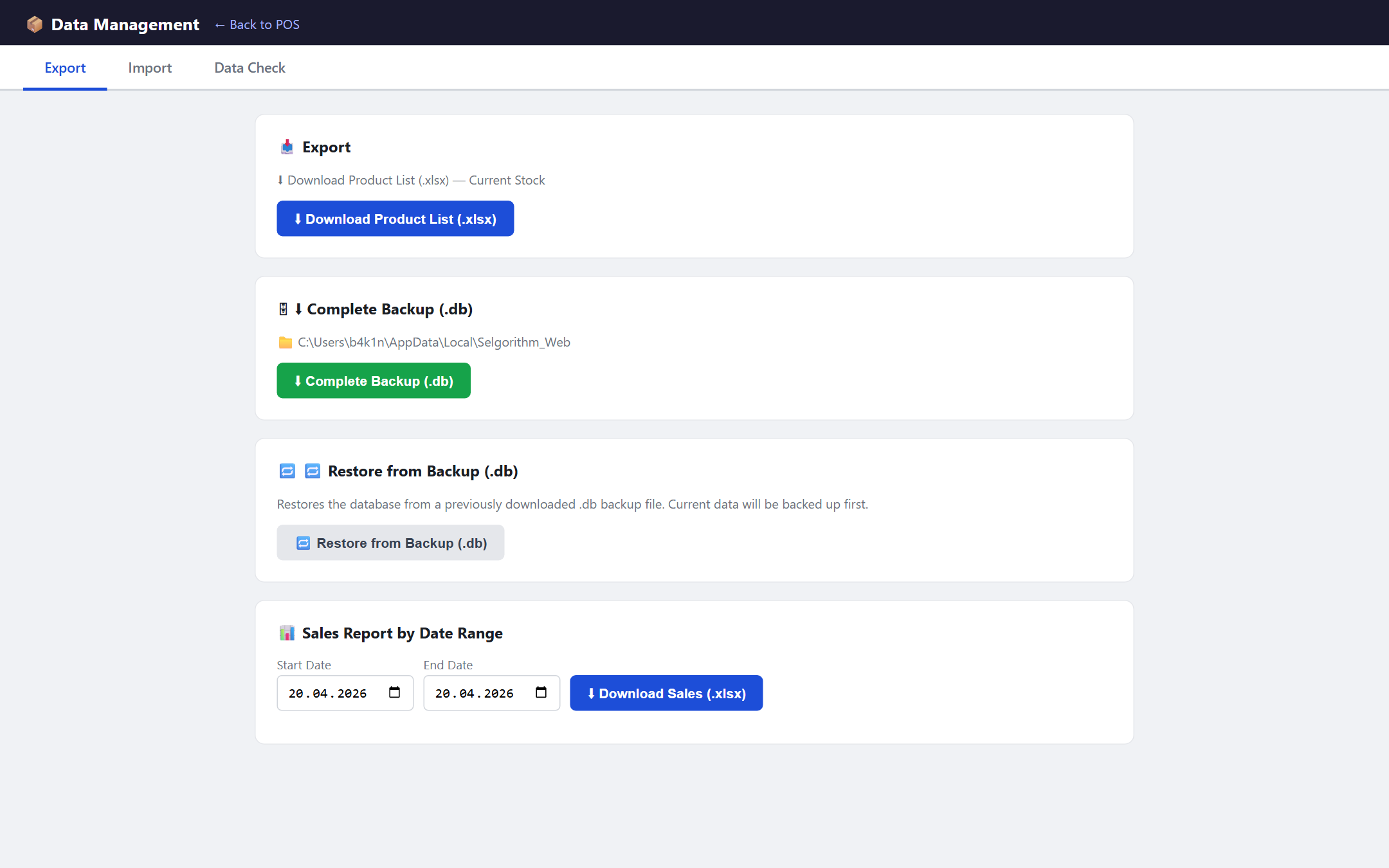

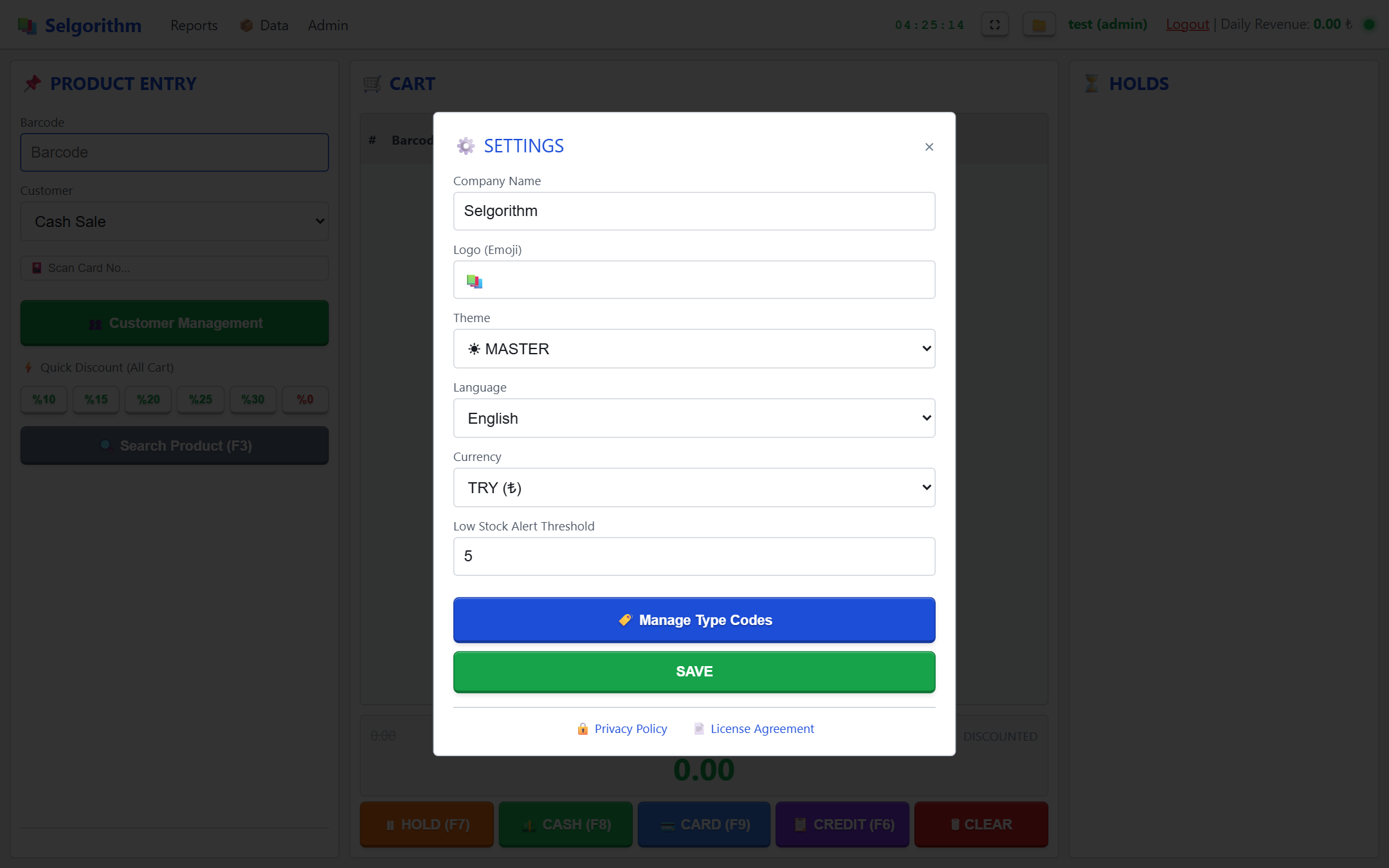
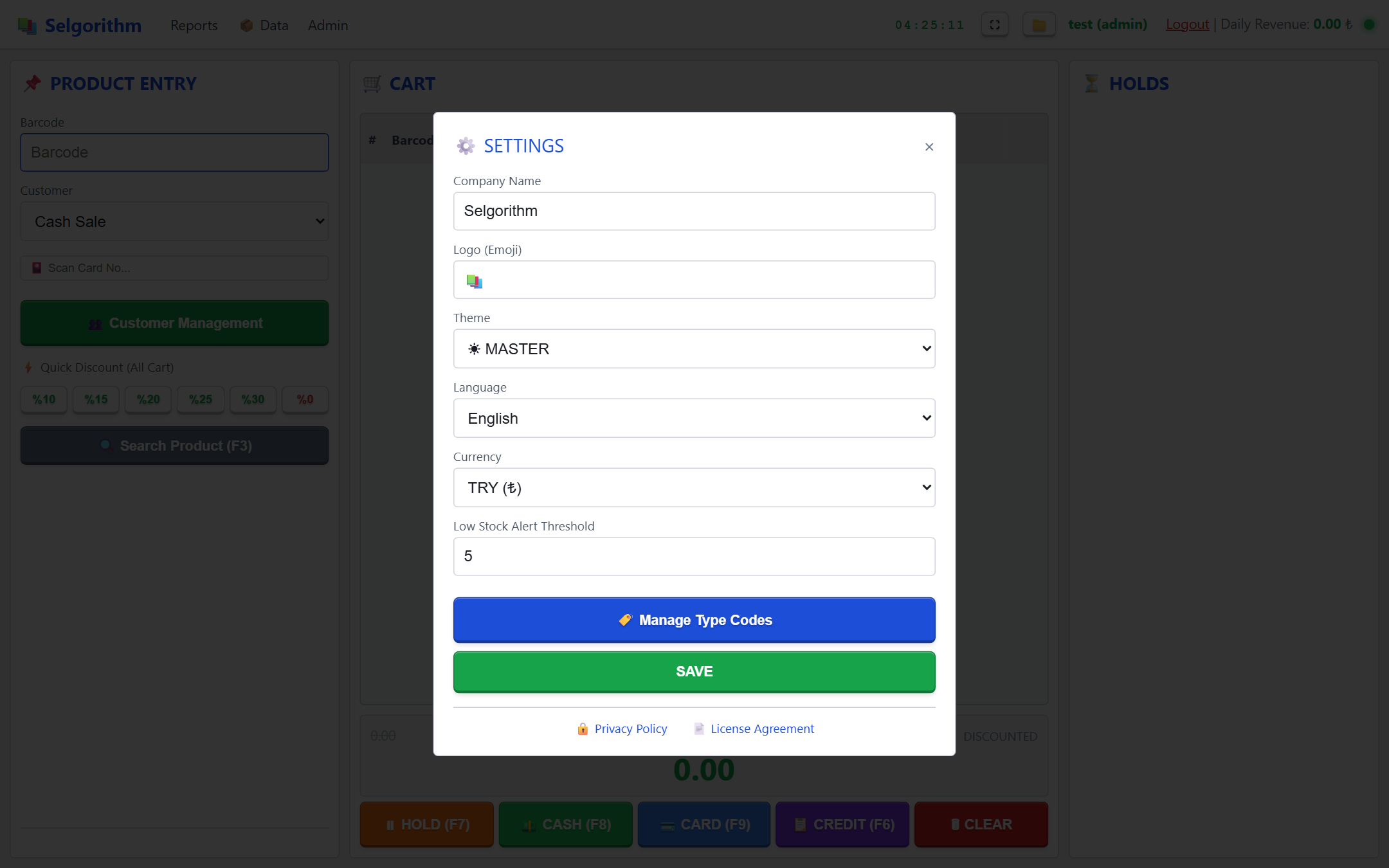

Barkoddan kar raporuna, tedarikçiden maaşa — her araç yerleşik, çevrimdışı ve sonsuza kadar sizin.
USB or Bluetooth barcode scanner support. Products are instantly retrieved from the local database. Press F4 to focus the barcode field at any time.
Inline editing of quantity, discount, and unit price fields. Click any cell or navigate with Ctrl+↑/↓. Right-click context menu included.
Three payment methods: Cash (F8), Card (F9), and Credit (F6). Important: F9 logs the sale as "card payment" for reporting purposes only — there is no POS terminal or card reader synchronisation built in. Credit sales automatically create a debt entry in the customer account.
Digital account ledger per customer. Credit sales, payments, and balances tracked in real time. Loyalty card and points system built-in.
Daily, weekly, monthly, and annual profit summaries. Each row: Period · Qty · Revenue · Cost · Profit · Margin%. Real-time profitability without an accountant.
Staff management, work-hour tracking, payroll history, expense recording, and daily financial summary — on one screen. Excel export supported.
Printable PDF output with date range and product type filters. Directly from sales data — type-filtered picking list. No manual preparation.
Save a partially completed cart to the hold queue while serving another customer. Held orders are listed in the right panel, restored with one click.
Each staff member independently selects their preferred visual theme and interface language. Preferences are saved per account and applied automatically on every login.
Built-in label designer for generating custom barcodes. Ideal for bundled book sets, products whose original barcode conflicts with another item in the system, or promotional packages that need a new unified barcode. Choose size, quantity, and layout, then print directly to a connected printer.
Native Windows print API — no third-party driver, no middleware. Configure your printer name in settings and every completed sale automatically prints a formatted receipt. Supports any Windows-compatible thermal or laser printer.
⚠️ Note: Printed thermal receipts are for informational purposes only and do not constitute an official legal document.
After every sale, Selgorithm instantly checks stock levels against your configured threshold. A clear, non-intrusive alert lists every item running low — so you reorder before you run out, not after.
Admin-only tool to correct or cancel past sales. When cancelled, the sale is moved from the active log into a dedicated archive — stock is automatically restored and revenue corrected.
Track every supplier's balance, purchases, and payments in a dedicated ledger. Add debit/credit entries, filter by supplier or date, and always know exactly what you owe and to whom.
Upload a cover photo for any product — useful for visual inventory management and quick identification at checkout. Images are stored locally in the database alongside product data.
Her kritik işlem bir tuş uzağında. Mouse gerekmez.
Every error Bookstore POS can display has a documented code, cause, and step-by-step resolution. Paste any SLGT-BS-* code into an AI assistant for instant help.
SLGT-BS-AUTH-001
HTTP 401
Access denied. Authentication required.
Why does this happen?
Request made without a valid session or with insufficient privileges.
Resolution
Log in with a valid account. Contact your administrator if the problem persists.
SLGT-BS-AUTH-002
HTTP 403
You cannot delete your own account.
Why does this happen?
An administrator attempted to delete their own active account.
Resolution
Ask another administrator to delete this account, or demote it first.
SLGT-BS-GEN-001
HTTP 404
Record not found.
Why does this happen?
The requested record does not exist in the database.
Resolution
Refresh the page and try again. The record may have been deleted.
SLGT-BS-GEN-002
HTTP 400
Save failed. Check the form fields and try again.
Why does this happen?
A required field is empty, contains invalid data, or a database constraint was violated.
Resolution
Check all required fields are filled with valid values.
SLGT-BS-GEN-003
HTTP 400
Record could not be saved.
Why does this happen?
A database write error occurred.
Resolution
Retry the operation. If the error persists, check disk space and database integrity.
SLGT-BS-GEN-004
HTTP 400
Could not delete this record.
Why does this happen?
The record may be referenced by other data, or a database error occurred.
Resolution
Ensure no other records depend on this one before deleting.
SLGT-BS-GEN-005
HTTP 400
Could not update this record.
Why does this happen?
The record no longer exists or a database error occurred during the update.
Resolution
Refresh the page and try again.
SLGT-BS-GEN-006
HTTP 400
Required fields are missing.
Why does this happen?
The request payload is missing one or more required fields.
Resolution
Fill in all required fields before submitting.
SLGT-BS-GEN-404
HTTP 404
API endpoint not found.
Why does this happen?
The requested method or path is not registered in the application.
Resolution
This is an application bug. Report the exact action that caused it.
SLGT-BS-SALE-001
HTTP 500
Sale could not be saved. Check the cart and try again.
Why does this happen?
A database error occurred while saving the sale transaction.
Resolution
Verify the cart items are valid and try again. If the problem persists, restart the application.
SLGT-BS-SALE-002
HTTP 500
Could not save the on-hold order.
Why does this happen?
A database error occurred while saving the hold record.
Resolution
Try again. If the problem persists, check available disk space.
SLGT-BS-SALE-003
HTTP 404
Sale record not found.
Why does this happen?
The sale ID does not match any existing record.
Resolution
Refresh the sales list and try again.
SLGT-BS-SALE-004
HTTP 400
Sale ID is required.
Why does this happen?
A cancel or correct operation was submitted without a sale ID.
Resolution
Select a sale from the list before performing this operation.
SLGT-BS-SALE-005
HTTP 400
This sale is outside the return window and cannot be cancelled or corrected.
Why does this happen?
The sale date is older than the configured return window (days).
Resolution
Contact your administrator to adjust the return window, or process a manual correction.
SLGT-BS-PROD-001
HTTP 400
Product could not be saved.
Why does this happen?
A required product field is missing or a database error occurred.
Resolution
Check all product fields (barcode, name, price) and try again.
SLGT-BS-PROD-002
HTTP 400
Barcode or image data is missing.
Why does this happen?
The barcode field is empty or the image file could not be read.
Resolution
Provide a valid barcode and, if applicable, a valid image file.
SLGT-BS-PROD-003
HTTP 400
This type code already exists.
Why does this happen?
A product type with the same code was already created.
Resolution
Use a different code for this product type.
SLGT-BS-PROD-004
HTTP 400
Code and label are required.
Why does this happen?
A product type was submitted without a code or display label.
Resolution
Enter both a code and a label for the product type.
SLGT-BS-PROD-005
HTTP 400
Could not add customer to product.
Why does this happen?
A database error occurred while linking the customer to the product.
Resolution
Try again. If the error persists, check the customer and product records.
SLGT-BS-CUST-001
HTTP 400
Both old and new names are required.
Why does this happen?
A customer rename request was submitted without one or both name values.
Resolution
Provide both the current name and the new name.
SLGT-BS-CUST-002
HTTP 400
Could not rename customer.
Why does this happen?
The new name may already be in use, or a database error occurred.
Resolution
Try a different name. If the problem persists, check the database.
SLGT-BS-CUST-003
HTTP 404
Customer account not found.
Why does this happen?
The customer ID or name does not match any existing record.
Resolution
Refresh the customer list and try again.
SLGT-BS-SUPL-001
HTTP 400
Supplier name is required.
Why does this happen?
A supplier request was submitted without specifying the supplier name.
Resolution
Select or enter a supplier name before proceeding.
SLGT-BS-SUPL-002
HTTP 400
Supplier, type, and date are required.
Why does this happen?
A supply record was submitted with one or more missing required fields.
Resolution
Fill in the supplier, transaction type, and date fields.
SLGT-BS-SUPL-003
HTTP 404
Supply record not found.
Why does this happen?
The supply record ID does not match any existing entry.
Resolution
Refresh the supplier list and try again.
SLGT-BS-SUPL-004
HTTP 500
Could not delete supply record.
Why does this happen?
A database error occurred while deleting the supply record.
Resolution
Try again. If the problem persists, check the database.
SLGT-BS-SUPL-005
HTTP 500
Supply operation failed due to an internal error.
Why does this happen?
An unexpected server-side error occurred during a supply operation.
Resolution
Retry the operation. If the problem persists, restart the application.
SLGT-BS-IMP-001
HTTP 400
No file uploaded.
Why does this happen?
The import request was submitted without attaching a file.
Resolution
Select a file before clicking Import.
SLGT-BS-IMP-002
HTTP 400
File must be a .db backup.
Why does this happen?
A file with an unsupported extension was uploaded for database restore.
Resolution
Use a .db backup file created by Selgorithm.
SLGT-BS-IMP-003
HTTP 400
Not a valid SQLite database file.
Why does this happen?
The uploaded file is not a recognizable SQLite3 database.
Resolution
Ensure the file is an unmodified .db backup exported from Selgorithm.
SLGT-BS-IMP-004
HTTP 400
Invalid database file.
Why does this happen?
The database file is corrupt or was not created by Selgorithm.
Resolution
Try a different backup file. If all backups are invalid, contact support.
SLGT-BS-IMP-005
HTTP 400
Barcode column not found in the Excel file.
Why does this happen?
The spreadsheet has no column with a recognized barcode header (e.g. barcode, isbn, barkod).
Resolution
Download the import template and ensure the barcode column header matches one of the expected names.
SLGT-BS-IMP-006
HTTP 400
A row was skipped because the barcode is empty or missing.
Why does this happen?
One or more rows in the spreadsheet have no barcode value.
Resolution
Fill in the barcode for every product row. Rows without barcodes are skipped.
SLGT-BS-IMP-007
HTTP 400
A row was skipped because the price value is invalid.
Why does this happen?
The price cell contains a non-numeric value that cannot be parsed.
Resolution
Ensure price values are plain numbers or use the format "1.234,56" (Turkish) / "1234.56" (standard).
SLGT-BS-BACK-001
HTTP 400
Backup path is required.
Why does this happen?
A backup or restore request was submitted without specifying the file path.
Resolution
Choose a destination folder before starting the backup.
SLGT-BS-BACK-002
HTTP 403
Invalid or unauthorized backup path.
Why does this happen?
The path points to a system or restricted directory.
Resolution
Choose a path inside your user Documents or Desktop folder.
SLGT-BS-BACK-003
HTTP 404
Backup file not found.
Why does this happen?
The specified backup file no longer exists at the given path.
Resolution
Check that the file has not been moved or deleted, and try again.
SLGT-BS-BACK-004
HTTP 400
OneDrive folder not found. Sync OneDrive first.
Why does this happen?
The OneDrive local sync folder does not exist on this machine.
Resolution
Install and sign in to OneDrive, allow the initial sync to complete, then retry.
SLGT-BS-DRIV-001
HTTP 400
Google Drive is not connected.
Why does this happen?
No active Google Drive session found. The OAuth token is missing or expired.
Resolution
Go to Settings → Google Drive and connect your account.
SLGT-BS-DRIV-002
HTTP 400
Save Google Drive credentials first.
Why does this happen?
The client_secret.json has not been uploaded or saved yet.
Resolution
Upload your client_secret.json from Google Cloud Console, then reconnect.
SLGT-BS-DRIV-003
HTTP 400
File ID is required.
Why does this happen?
A Google Drive file operation was requested without specifying the file ID.
Resolution
Select a file from the Drive list before performing this operation.
SLGT-BS-DRIV-004
HTTP 400
Invalid client_secret.json format.
Why does this happen?
The uploaded file is not a valid Google OAuth client secret.
Resolution
Download a fresh client_secret.json from Google Cloud Console → APIs & Services → Credentials.
SLGT-BS-DRIV-005
HTTP 400
Invalid JSON format.
Why does this happen?
The uploaded file could not be parsed as JSON.
Resolution
Ensure the file is a valid JSON document and has not been edited manually.
SLGT-BS-DRIV-006
HTTP 400
Content is empty.
Why does this happen?
The file upload or content field contains no data.
Resolution
Ensure the file is not empty before uploading.
SLGT-BS-FIN-001
HTTP 400
Finance record could not be saved.
Why does this happen?
A required finance field is missing or a database error occurred.
Resolution
Check all required fields and try again.
SLGT-BS-FIN-002
HTTP 400
Finance record could not be deleted.
Why does this happen?
A database error occurred while deleting the finance record.
Resolution
Try again. If the problem persists, restart the application.
SLGT-BS-FIN-003
HTTP 400
Finance record could not be updated.
Why does this happen?
The finance record no longer exists or a database error occurred.
Resolution
Refresh the finance list and try again.
$8,49 tek seferlik · Abonelik yok · Bulut yok · Sonsuza kadar tamamen çevrimdışı.
Sisteminizi 2026 ocak ayından bu yana kullanıyorum. gerçekten her ay ücret ödemekten yorulmuştum. üstelik istediğim modüller tek pakette gelmesi harika birşey. beklediğim bazı sektörler var umarım yol haritasında gördüğüm birkaç taneside tamamlanırsa almayı düşünüyorum başarılar.
Yorumunuz yönetici onayından sonra yayınlanır.