Microsoft Store'da Mevcut

Chrono Brillance Horlogerie Sovereign

The POS built for those who sell time.

Enterprise luxury watch boutique management. Brand catalog with full horological specifications, warranty certificate printing in 14 languages, service & repair, trade-in, ERP integration — all offline, no subscription.

Windows 10/11 · Microsoft Store · Offline-first · No subscription
Who is this for?

Built for the luxury watch trade.

Watch Boutiques

Single-brand or multi-brand boutiques needing a catalog-driven POS that understands horological specifications.

Authorized Dealer Networks

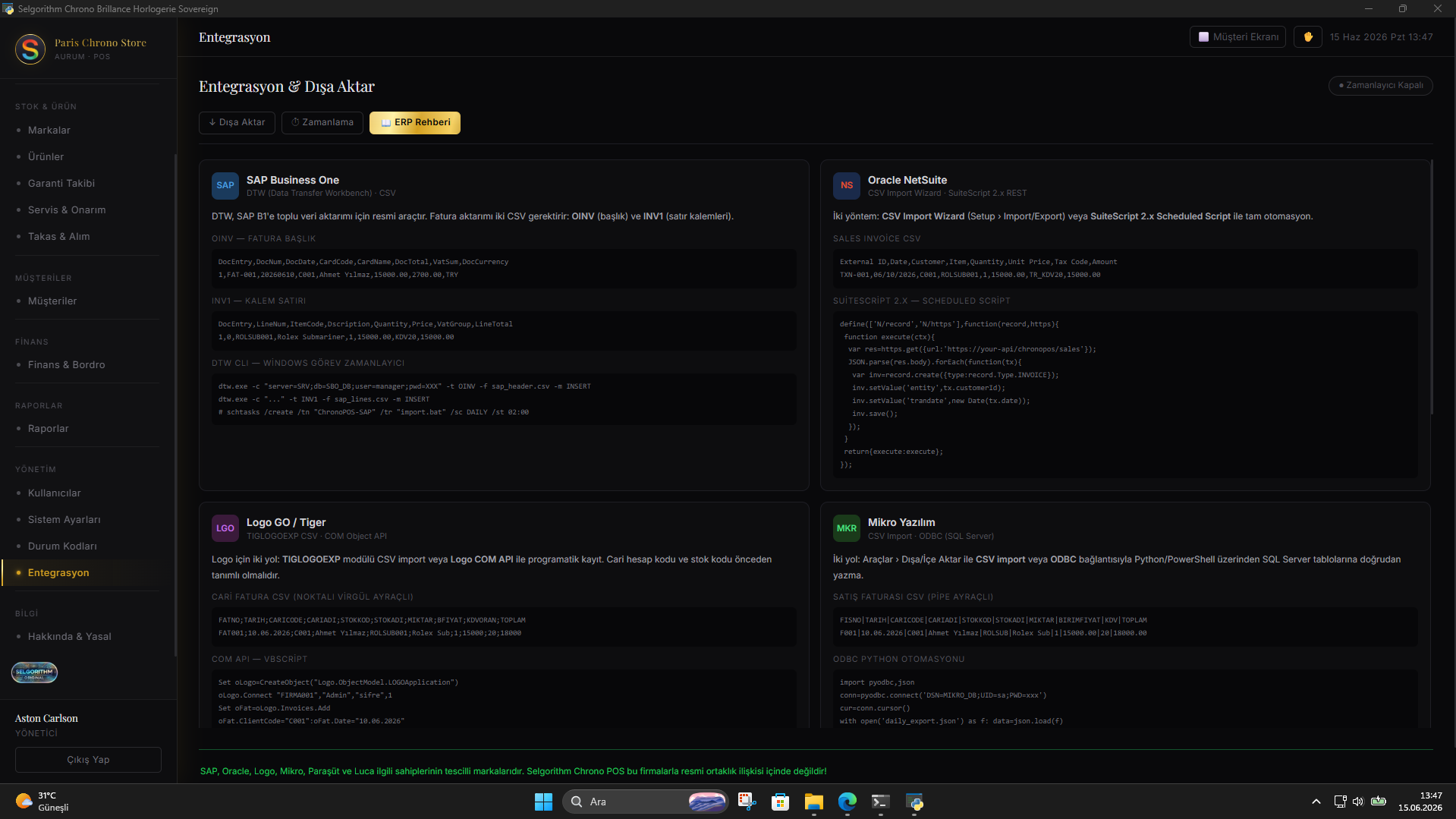
Dealers managing multiple brands who need ERP export compatibility with SAP B1, Oracle NetSuite, Logo and Mikro.

Service & Repair Centers

Watch service shops that need structured job intake, technician queues, customer notifications, and certificate printing.

Premium Independents

Independent watch sellers curating a high-value inventory who want a VIP-tier customer relationship system and trade-in workflow.

Screenshots

See it in action.

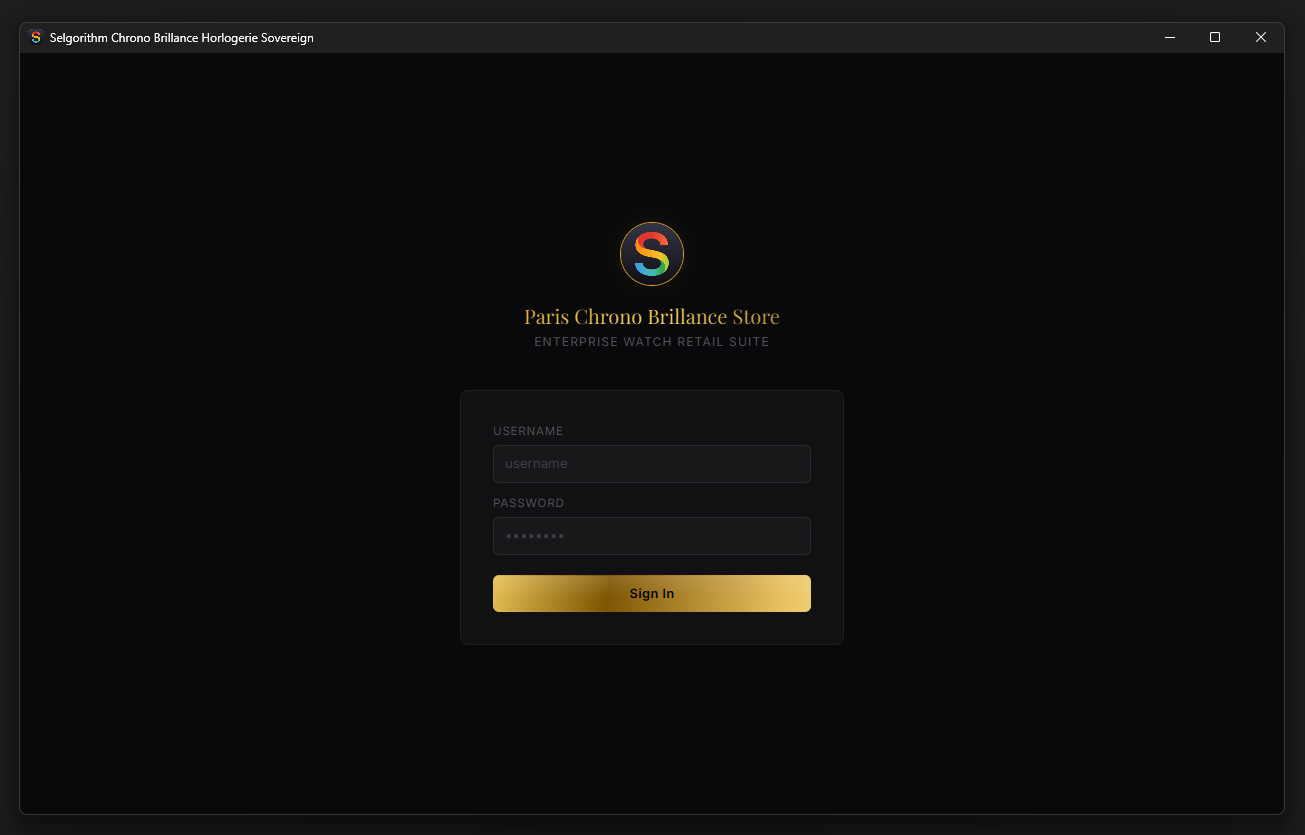
Login screen — Enterprise Watch Retail Suite
Brand catalog — Aether luxury watches with prices and specs
Integration & Export — SAP B1, Oracle, Logo, Mikro, Paraşüt formats
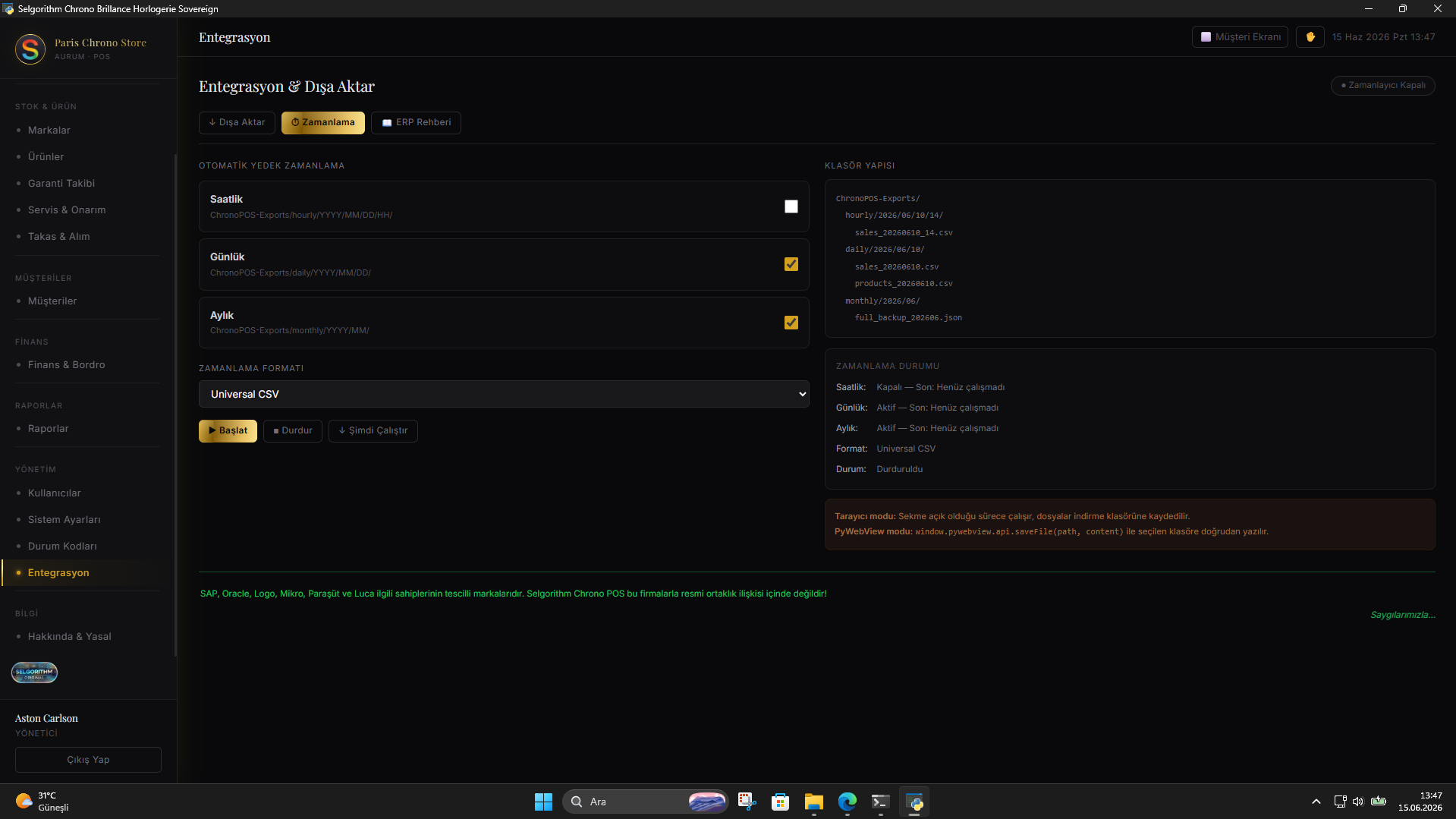
Automatic backup scheduling panel
ERP integration guide with code examples
About & Legal panel — Chrono POS v1.0
Features

Every feature the luxury watch trade demands.

Luxury Brand & Watch Catalog

Full horological specification per model: movement type, reference number, case material, diameter, strap, dial, water resistance, and power reserve. Multi-brand support.

Warranty Certificates · 14 Languages

Generate and print warranty certificates in 14 languages directly from the sale. Customer name, watch specs, serial number, sale date, and warranty period — ready to hand over.

Service & Repair Module

Structured job intake: watch description, issue, condition, estimated completion, technician assignment. Track status — Received, In Progress, Waiting for Parts, Ready, Delivered — and notify the customer.

Trade-In Module

Accept incoming watches against a purchase. Record the offered watch details, assess value, make a counter-offer, and apply it to the transaction. Full audit trail.

Customer Tier System

Automatic tier classification: New, Customer, VIP, Whale — based on purchase history. Identify your most valuable clients at a glance and tailor the experience accordingly.

Dual-Screen Customer Display

Open a second window on the customer-facing monitor showing the cart, total, brand information, and a branded welcome screen. Synchronized in real time via PyWebView.

ERP Integration Export

Export sales data in ERP-ready formats: SAP Business One, Oracle NetSuite, Logo GO/Tiger, Mikro, Paraşüt — plus Universal CSV, JSON, and XML. Scheduled automatic exports supported.

5-Step Setup Wizard

Brand catalog setup, ERP integration guide, user management, POS configuration, and dashboard overview — operational from the first day without IT support.

Backup & Restore

Automated backup scheduling with full restore from manifest.json. All data stored locally at Documents\Selgorithm Chrono POS\ — you own your data entirely.

Technical Specifications

Built on the Selgorithm offline-first architecture.

Platform Windows 10 / 11 (x64)
Distribution Microsoft Store (MSIX) · ID: 9NVVDZQ8VCLG
License One-time payment, lifetime use — no subscription
Free Trial 30 days — no credit card required
Interface Languages 14 languages
Visual Themes 9 themes (Amber Gold default)
Database Documents\Selgorithm Chrono POS\chrono.db (SQLite)
Internet Required None — fully air-gapped capable
ERP Export Formats SAP B1 · Oracle NetSuite · Logo GO/Tiger · Mikro · Paraşüt · CSV · JSON · XML
Status Code Prefix SEL-CHR-{CATEGORY}-{NNN}
Runtime Python · PyWebView · WebView2 · SQLite
Barcode Scanner USB / Bluetooth — HID keyboard mode, no driver required
Status Codes

SEL-CHR-* — 20 codes across 8 categories.

Every error Chrono Brillance can display has a documented code, cause, and step-by-step resolution. Paste any SEL-CHR-* code into an AI assistant for instant help.

Database SEL-CHR-DB-001 – SEL-CHR-DB-003
3
SEL-CHR-DB-001 HTTP 500

Database Initialization Failed

Cause & Resolution

Why does this happen?

SQLite database could not be created or opened at startup. Folder permission may be blocked.

Resolution

Run the application as administrator, or manually create the folder: Documents\Selgorithm Chrono POS\

SEL-CHR-DB-002 HTTP 500

Database Sync Error

Cause & Resolution

Why does this happen?

Application state could not be written to SQLite during operation. Disk may be full or write permissions missing.

Resolution

Free up disk space and restart the application.

SEL-CHR-DB-003 HTTP 500

Database Load Failed

Cause & Resolution

Why does this happen?

Existing database file is corrupted or inaccessible at startup.

Resolution

Restore from backup (Settings > Backup & Restore), or delete chrono.db from Documents\Selgorithm Chrono POS\ to reset.

Export SEL-CHR-EX-001 – SEL-CHR-EX-003
3
SEL-CHR-EX-001 HTTP 500

File Export Failed

Cause & Resolution

Why does this happen?

Unable to create or write the export file. Downloads/Documents folder may lack write permissions.

Resolution

Run as administrator. Try a different save location.

SEL-CHR-EX-002 HTTP 500

CSV Export Error

Cause & Resolution

Why does this happen?

Data serialization failed during CSV export. Product/customer data may contain invalid or special characters.

Resolution

Remove commas and newlines from description/notes fields.

SEL-CHR-EX-003 HTTP 400

JSON Import/Export Error

Cause & Resolution

Why does this happen?

JSON structure is invalid or incompatible with this version.

Resolution

Use a backup file created by Selgorithm Chrono POS v1.0. Do not manually edit backup JSON files.

Storage SEL-CHR-ST-001 – SEL-CHR-ST-003
3
SEL-CHR-ST-001 HTTP 500

State Save Failed

Cause & Resolution

Why does this happen?

localStorage write failed — storage may be full or access is blocked.

Resolution

Clear browser/WebView storage cache and restart the application. Export and archive old data to reduce storage size.

SEL-CHR-ST-002 HTTP 500

State Load Failed

Cause & Resolution

Why does this happen?

Stored data is corrupted or incompatible after an application update.

Resolution

Restore from backup. Contact support if the issue persists.

SEL-CHR-ST-003 HTTP 507

Storage Quota Exceeded

Cause & Resolution

Why does this happen?

localStorage limit reached (~5 MB in most WebView environments).

Resolution

Export old transactions/products and delete archived records.

Sync SEL-CHR-SY-001 – SEL-CHR-SY-002
2
SEL-CHR-SY-001 HTTP 408

Database Sync Timeout

Cause & Resolution

Why does this happen?

SQLite write did not complete within the expected time. Antivirus may be blocking file access.

Resolution

Restart the application. Check if antivirus is blocking file access.

SEL-CHR-SY-002 HTTP 500

Customer Display Sync Failed

Cause & Resolution

Why does this happen?

Message could not be sent to the customer display window.

Resolution

Close and reopen the customer display from the POS panel.

Interface SEL-CHR-UI-001 – SEL-CHR-UI-002
2
SEL-CHR-UI-001 HTTP 500

Panel Render Error

Cause & Resolution

Why does this happen?

A rendering function encountered unexpected data.

Resolution

Navigate away and return to the panel. If persistent, restore from backup.

SEL-CHR-UI-002 HTTP 422

Chart Render Error

Cause & Resolution

Why does this happen?

Insufficient or malformed transaction data for the selected period.

Resolution

Expand the date range filter, or add sales data first.

WebView SEL-CHR-WV-001 – SEL-CHR-WV-002
2
SEL-CHR-WV-001 HTTP 503

PyWebView API Unavailable

Cause & Resolution

Why does this happen?

Application is running in browser mode instead of desktop mode.

Resolution

Launch via main.py or the installed .exe file, not a web browser.

SEL-CHR-WV-002 HTTP 500

Customer Display Failed

Cause & Resolution

Why does this happen?

Popup window was blocked or a screen configuration error occurred.

Resolution

Allow popups for this application. Use a dual-monitor setup.

Print SEL-CHR-PR-001 – SEL-CHR-PR-002
2
SEL-CHR-PR-001 HTTP 500

Print Area Not Found

Cause & Resolution

Why does this happen?

The DOM element for the print target is missing.

Resolution

Refresh the application (F5) and retry the print operation.

SEL-CHR-PR-002 HTTP 422

Certificate Generation Failed

Cause & Resolution

Why does this happen?

Warranty data is incomplete or the referenced product was not found.

Resolution

Ensure the warranty record has all required fields filled before printing.

Backup SEL-CHR-BK-001 – SEL-CHR-BK-003
3
SEL-CHR-BK-001 HTTP 500

Backup Creation Failed

Cause & Resolution

Why does this happen?

Unable to write backup files to the Documents folder.

Resolution

Check write permissions on Documents\Selgorithm Chrono POS\backups\. Run as administrator if needed.

SEL-CHR-BK-002 HTTP 404

Backup Read Failed

Cause & Resolution

Why does this happen?

Backup folder or manifest.json is missing or corrupted.

Resolution

Manually verify the backup folder contents. Use a different backup file.

SEL-CHR-BK-003 HTTP 400

Restore Failed

Cause & Resolution

Why does this happen?

Backup CSV/JSON files are incomplete or version-incompatible.

Resolution

Use a more recent backup. Check manifest.json for version information.

Şimdi Mevcut

Sonsuza kadar sahip olun.
Abonelik yok.

Chrono Brillance artık Microsoft Store'da. 30 gün ücretsiz deneyin — kart gerekmez. Tek seferlik ömür boyu satın alma.

Kullanıcı Yorumları

Kullanıcılar ne diyor

Henüz yorum yok. İlk siz olun!

Yorum Yaz

Yorumunuz yönetici onayından sonra yayınlanır.

Puanınız: